
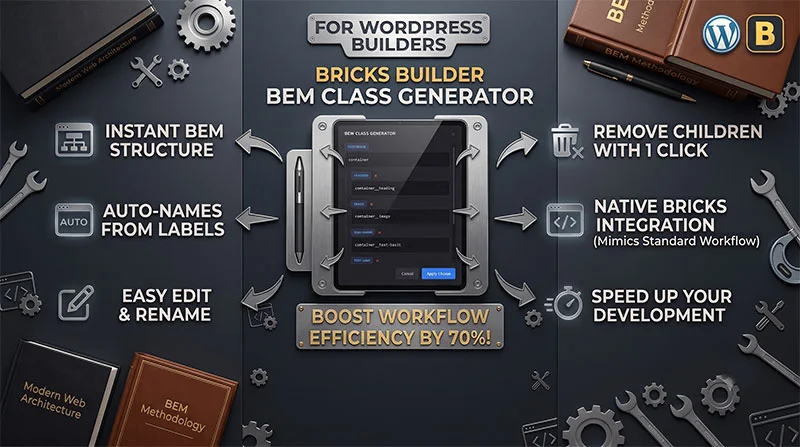
If you build professional websites with Bricks Builder, you already know that maintaining a clean, scalable CSS architecture is essential. For many developers, BEM (Block, Element, Modifier) is the gold standard for class naming. However, manually creating, typing, and assigning BEM classes to every parent and child element in Bricks can quickly become a tedious, time-consuming bottleneck.
That is exactly why I built the Bricks Builder BEM Class Generator.
This plugin is designed to automate and accelerate your front-end workflow, allowing you to generate entire BEM structures for your elements in seconds—without ever leaving the canvas or changing how Bricks natively handles styles.
Key Features: How It Works
The BEM Class Generator integrates smoothly into your existing Bricks Builder workflow. Instead of clicking through individual elements to add classes one by one, you can manage the structural naming of a component all from a single parent interface.
⚡ Smart BEM Popups
Hover over any parent element in the structure panel or canvas, and a dedicated BEM icon will appear. Clicking this icon opens a streamlined modal/popup where you can orchestrate the class names for the entire block.
🤖 Automatic Element Naming
By default, the plugin reads the native Bricks structural labels of the child elements (e.g., “Heading”, “Button”, “Image”) and instantly prepares the correct BEM syntax (e.g., .block__heading, .block__button).
🎛️ Full Control & Customization
You are never locked into the automated suggestions. Directly inside the popup, you can:
- Modify Element Names: Edit the child label inline before generating the class.
- Exclude Children: Toggle or remove specific child elements from the naming process if they do not require a class.
- Bulk Rename: Easily rename existing, already-named BEM classes across the structure without having to delete and recreate them.
- Preserve Utility & Custom Classes: Renaming or generating classes only targets your BEM structure—it never touches, modifies, or deletes any other third-party, native Bricks, or non-BEM utility classes you have already applied to the elements.
🛠️ Built to Be 100% Native and Lightweight
The biggest concern with workflow plugins is whether they break during core updates. You can rest easy with this one.
Zero Core Modification: The Bricks Builder BEM Class Generator does not hack or modify the Bricks core source files.
Instead, it acts as a lightweight automation layer. Under the hood, it intelligently mimics the exact native click-and-type actions you would perform when manually adding classes in Bricks. Because it saves the classes natively, your site remains incredibly lightweight, performance-oriented, and perfectly compatible with future Bricks updates.
Why You Need This in Your Tech Stack
1.Hover & Trigger:Step 1.
Hover over your section, container, or card component and click the BEM icon.
2.Define & Refine:Step 2.
Type your main Block class. Watch the Element classes automatically generate based on child labels. Tweak or exclude names as needed.
3.Apply Instantly:Step 3.
Hit apply. The plugin mimics Bricks’ native inputs, creating and attaching clean BEM classes across the entire structure in one frame.
The Benefits:
- Unmatched Speed: Cut down component styling prep time by up to 70%.
- Enforce Consistency: Keep your CSS naming conventions perfectly uniform across team projects.
- Focus on Design: Spend less time typing double underscores and more time building beautiful layouts.
Conclusion
The Bricks Builder BEM Class Generator bridges the gap between clean CSS methodologies and rapid visual development. By eliminating the repetitive friction of manual class assignments, it lets you maintain scalable, professional codebases while keeping your development speed incredibly fast.
Ready to supercharge your Bricks workflow? Try it on your next project!